

Template marketplace
Browse curated and community templates with review badges, see their resources and cost before you deploy, and submit your own templates for review.
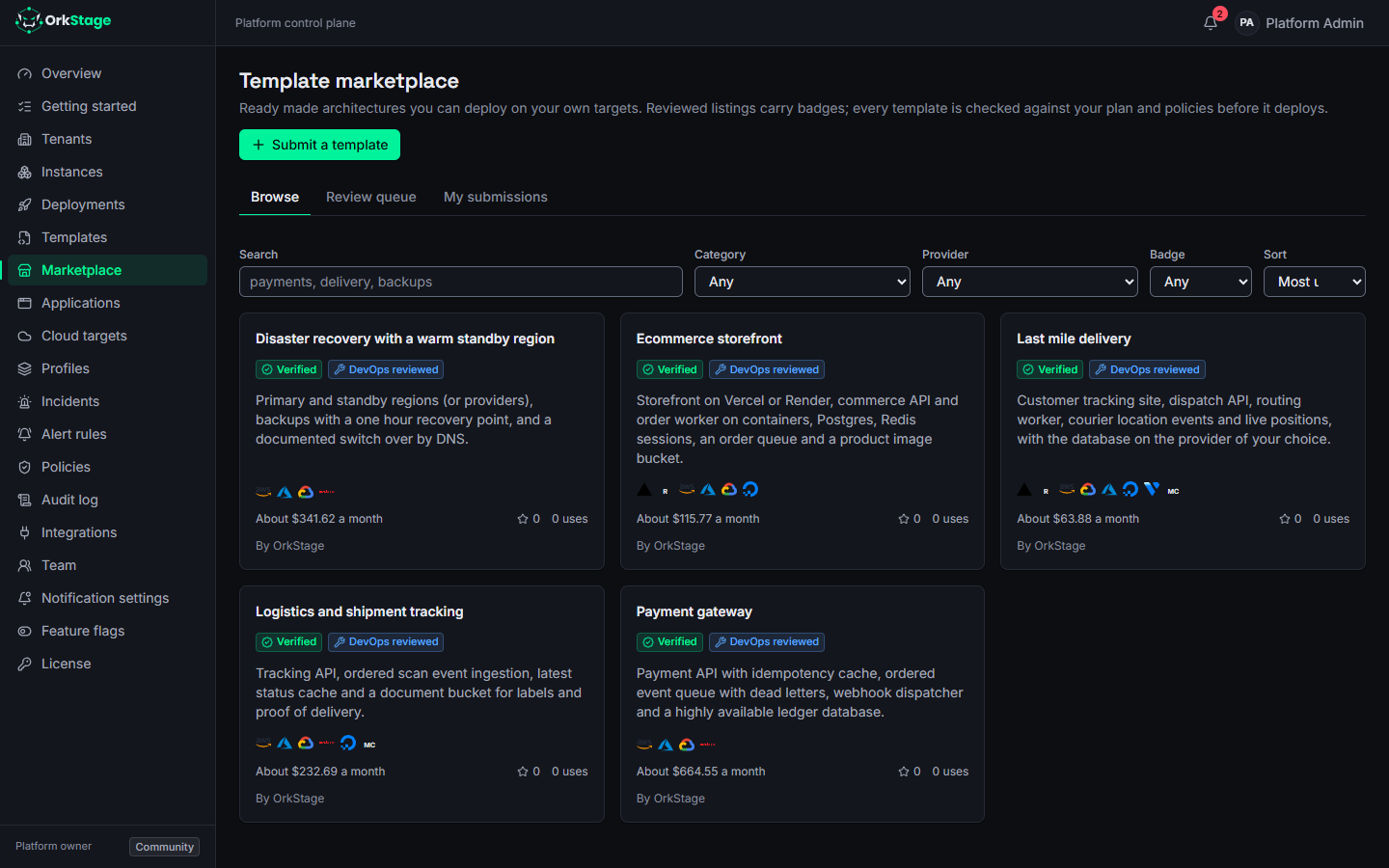
The marketplace lists templates ready to deploy: complete architectures such as disaster recovery, a payment gateway, an ecommerce storefront, logistics tracking or last mile delivery. Every listing is a normal OrkStage template, so it goes through the same placement, plan, policy and approval checks as any other before anything is created.
Badges
| Badge | Meaning |
|---|---|
| Verified | Reviewed by platform staff: policies, security defaults and cost. |
| DevOps reviewed | Reviewed for operations: backups, health checks, observability and safe defaults. |
Badges are given by reviewers (platform admins and owners) when they approve a listing. A listing loses its badges when its author edits it, until it is reviewed again. The curated listings that ship with OrkStage carry both badges.
Browse and choose
Open Marketplace in the console. Search by name, summary or tag, and filter by category, provider or badge; sort by use, date or name. Each card shows the providers the template can run on, an approximate monthly cost and how often it was starred and used.
A listing page shows the description, every resource with its estimated monthly cost, the placement slots and the providers each one allows, its tags, its triggers and the full template source.
About the estimate
The cost is computed on the first provider each placement slot allows, in a representative region, at static list prices. Your own targets, regions and variables change it. The plan review before each deployment shows the estimate for your actual choices.
Use a template
- Use this template opens the instance wizard with the template and its published version
already selected; you choose the tenant, bind each placement slot to your cloud targets and set
the variables. Templates that need more than one provider need the
MULTI_CLOUDfeature flag, which is on unless an administrator turned it off. - Clone and customize (template authors) copies the template so you can change it in the builder and publish your own version.
- Star keeps a listing in mind and helps others find popular ones.
Submit a template
Template authors (the publish permission on templates) can submit a template that has a
published version: Marketplace > Submit a template, then a slug, title, summary, description,
one to four categories and optional tags. The listing stays hidden until it is reviewed; your
submissions and their review notes are under My submissions.
Reviewers see the queue under Review queue and approve (with badges), reject or later unlist a listing. Every submission, edit and review is recorded in the audit log.
API
The same operations are available under /api/v1/marketplace/listings (see the
API reference). Browsing and use accept API keys with the
templates:read scope; submitting and reviewing need a signed in user.
Turning the marketplace off
The TEMPLATE_MARKETPLACE feature flag (on by default) hides the marketplace for the whole
platform; see enabling a provider for how flags are
changed.
Templates and the visual builder
Create, clone, validate and publish OrkStage templates in the console, in the YAML editor or the drag and drop builder that edits the same document.
Importing infrastructure in the console
Turn Terraform, CloudFormation, Kubernetes or Docker Compose files into a draft OrkStage template, review the evidence and create the template.