

Templates and the visual builder
Create, clone, validate and publish OrkStage templates in the console, in the YAML editor or the drag and drop builder that edits the same document.
Platform staff manage templates: owners and admins publish them, and operators can read them. Tenants use published versions when they create instances.
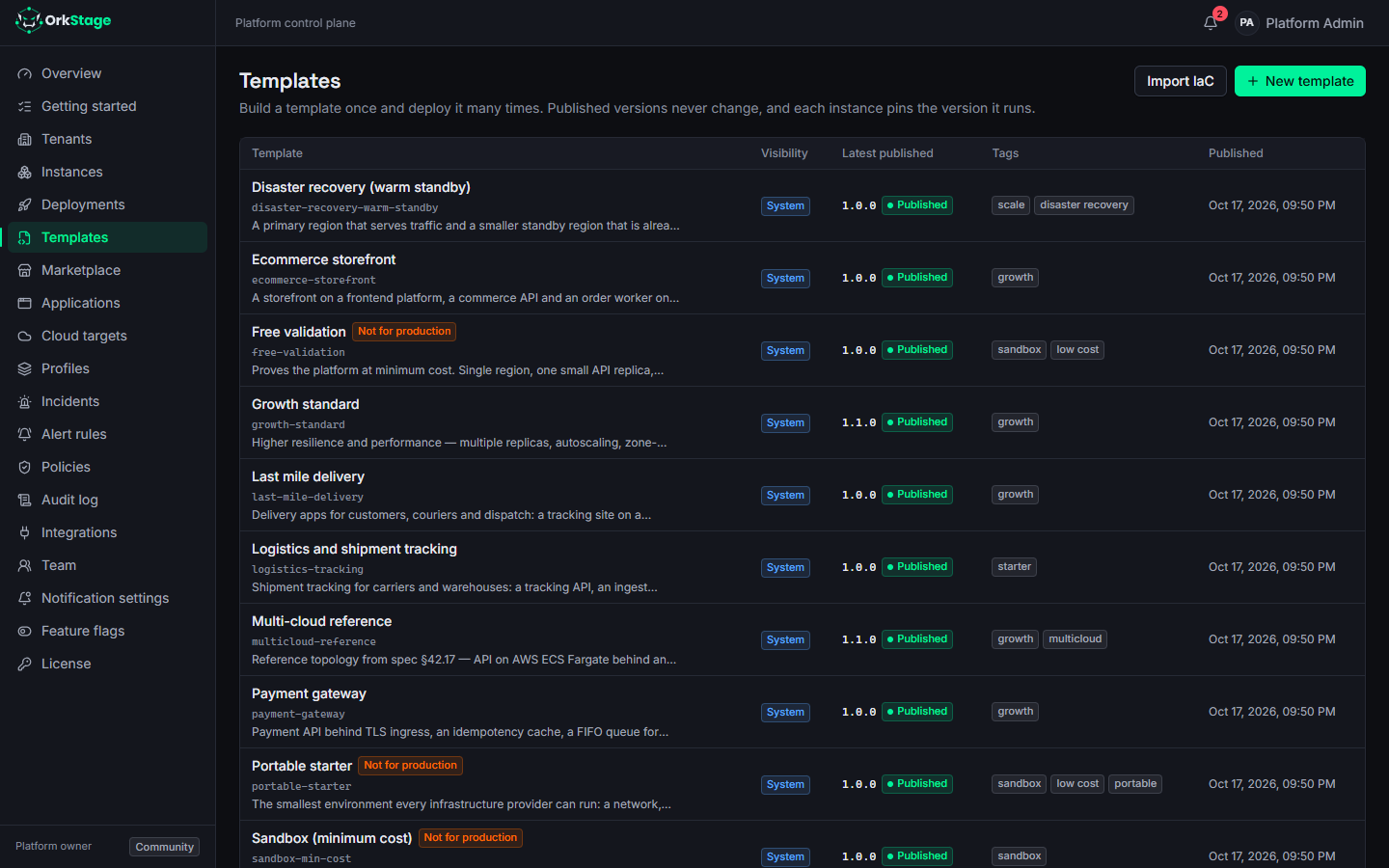
Versions and lifecycle
DRAFT ──edit, validate──▶ DRAFT ──publish──▶ PUBLISHED ──deprecate──▶ DEPRECATED
                                                 ▲                         │
└──────── restore ────────┘- New template creates the first version as a draft.
- Edit draft changes the YAML of a draft. Its name and version stay; to change the version, add a new one.
- New version adds a draft version.
- Publish runs the full validation and refuses unsafe templates. It also refuses a version
when no shared cloud target can host every placement slot, because the capability and policy
checks could not run (
CAPABILITY_UNCHECKED). Add a target for the providers the slots allow, or widen the slots, and publish again. - Published and deprecated versions never change. The database refuses any change to their source, not only the API, because instances record the version they run.
- Deprecate retires a published version, with an optional note. Instances on it keep running
and can still be deployed; new instances and upgrades are refused with
TEMPLATE_DEPRECATEDand the note. Restore makes it published again. - Compare with shows the YAML changes between the selected version and any other one.
- Clone copies a template under a new name, for example to start from a predefined one.
- An instance keeps its version until someone runs Upgrade template on it.
The built in templates follow the same rules: when OrkStage ships a newer built in version, the older one becomes deprecated and its instances keep running.
Validation
Validation runs in stages and reports every issue with its stage, severity, code and path:
| Stage | Checks |
|---|---|
schema | YAML syntax and the platform/v1 schema (types, ranges, required fields). |
semantic | Unique ids, valid references (dependsOn, routes, DNS target, variables), existing slots, no cycles. |
limits | Only when a tenant is chosen: the template fits that tenant's limits (services, vCPU, memory, replicas, database storage, custom domains, backup retention) and its feature flags allow autoscaling and custom domains. |
capability | The providers each slot allows can implement every resource. Includes suggestions. |
policy | Governance policies that can be checked without an instance. |
CI can run the same validation without storing anything: POST /templates/validate (see
CI/CD intake).
The visual builder
To open the builder, choose Templates, then New, then Builder, or click Builder on an existing template. It is a drag and drop canvas:
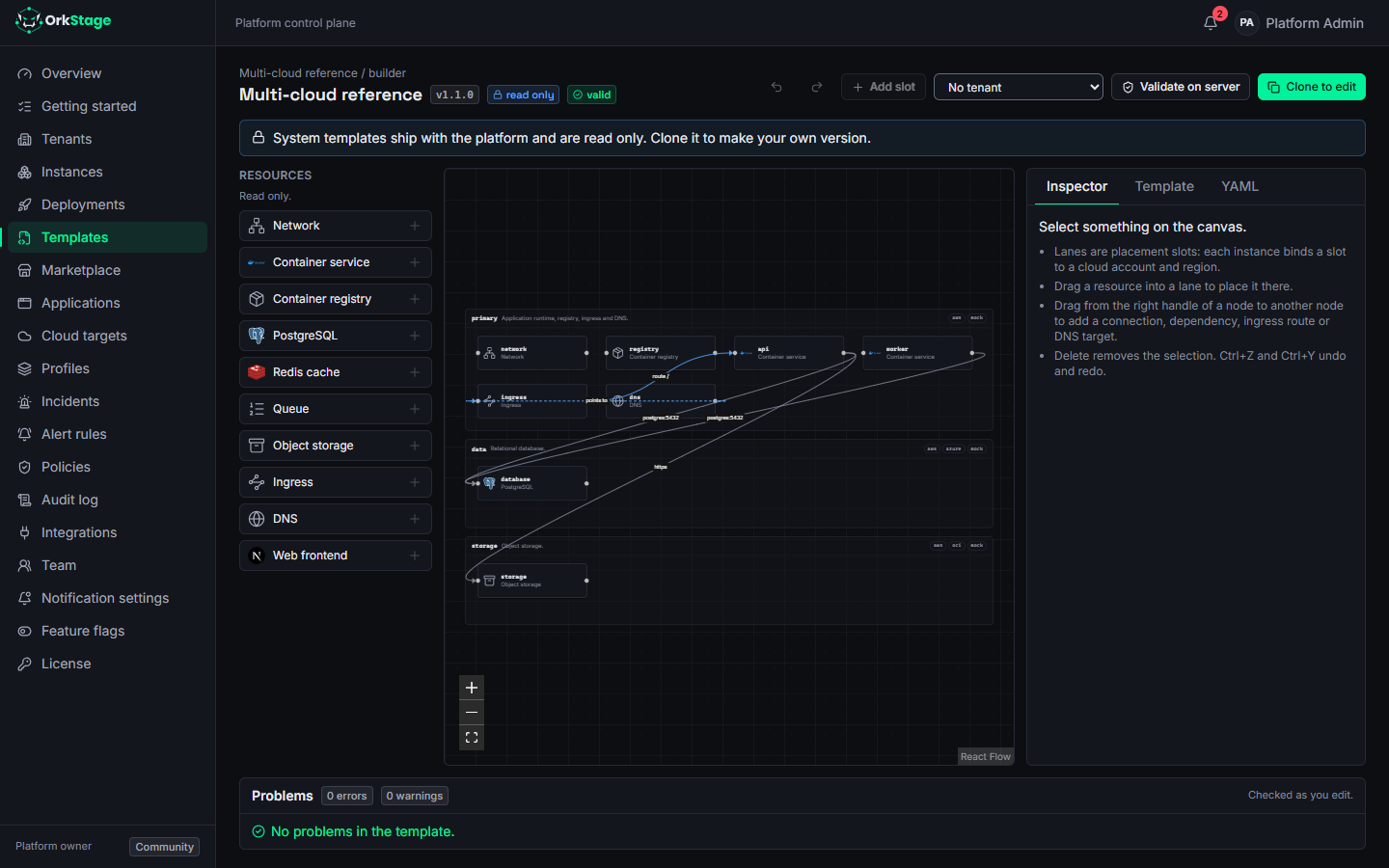
- Drag resource types from the palette onto the canvas.
- Placement slots are lanes. Drop a resource into a lane to place it, and add or remove lanes.
- Connect nodes to add dependencies and connectivity requirements, with protocol, port and mode.
- Edit each resource's fields in the side panel, under the same constraints as the schema.
The builder edits the same YAML document you see in the source view and validates it as you work, so you can switch between the two at any time.
Source of truth
The template reference describes the full format. If you
keep templates in a repository, the ork CLI pushes them as new versions
(Preview). IaC import can draft a template from existing
Terraform, CloudFormation, Kubernetes or Compose files.
Notifications
Who OrkStage notifies about deployments, incidents, maintenance and domains, through which channels, and how each person chooses what reaches them.
Template marketplace
Browse curated and community templates with review badges, see their resources and cost before you deploy, and submit your own templates for review.