

Creating an instance
Create an OrkStage instance with the six step wizard. Pick the tenant and template, bind each slot to a target and region, then set variables.
A new instance starts as a DRAFT, and nothing is provisioned until you
deploy it. Open Instances, then New instance. Creating an
instance needs a platform owner or admin role, or the customer owner or admin role in the tenant.
The seven wizard steps
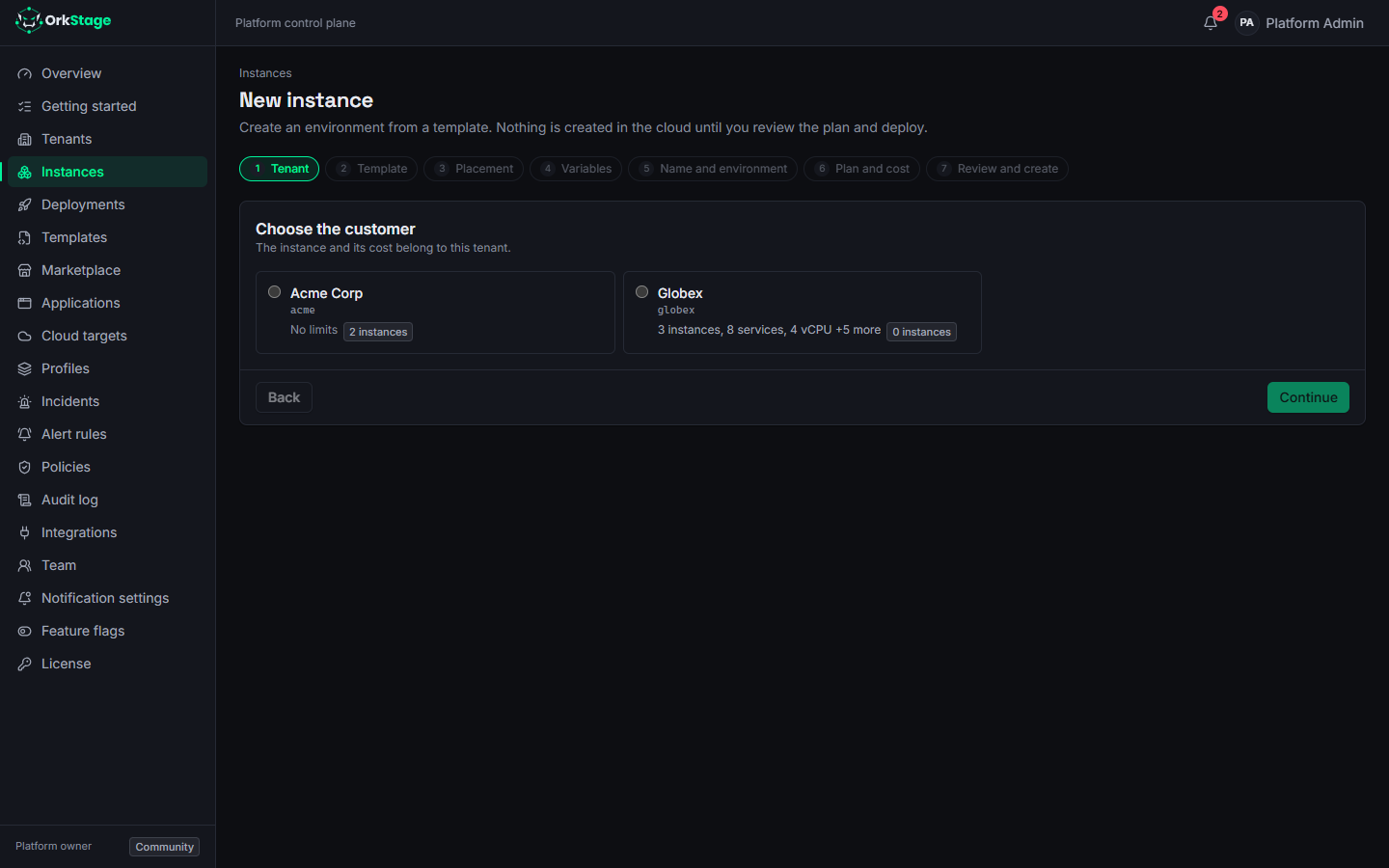
Tenant
Choose the customer that owns the instance. The tenant's limits and feature flags decide what fits, and the instance's cost is attributed to that tenant.
Template
Pick a template and one of its published versions. Published versions never change; drafts and
deprecated versions cannot be used. Templates marked nonProduction show a warning. The non-production-template
policy fails if you use one for a production instance.
| Predefined template | Tags | Notes |
|---|---|---|
free-validation | sandbox, low cost | Not for production |
sandbox-min-cost | sandbox | Not for production |
starter-standard | starter | AWS |
growth-standard | growth | AWS |
scale-custom | scale | |
multicloud-reference | growth, multicloud | |
web-platforms | growth, web, multicloud | |
portable-starter | sandbox, low cost, portable | Every infrastructure provider; not for production |
The size tag (starter, growth, scale) gives an idea of the resources a template needs.
Placement
Bind every placement slot of the template to a cloud target and a region. Slots can
use different clouds. With multicloud-reference, for example, primary can run on AWS, data on
Azure and storage on OCI. The list offers only targets whose provider the slot accepts, and only
the regions each target allows.
A profile fills every slot at once with the account and region it names for each provider; you can still change each slot. Tenant members, who do not see cloud targets, place the instance by choosing a profile.
Simulated targets (the mock provider) carry a simulated label. Use them to rehearse a topology before you connect real accounts.
Variables
Templates expose a few typed variables, for example apiReplicas or databaseSize. The form
starts with the default values. When every variable has a default, they stay under Advanced
settings, closed, because the defaults fit most instances. The browser checks ranges and allowed
values, and the API checks them again.
Name and environment
Give the instance a name and a slug. The slug is lowercase and goes into physical resource names
such as ork-acme-staging-api. Then choose the environment: production, staging, development
or sandbox. Production instances get stricter policies (backups are required) and an approval
step for high risk changes.
Plan and cost
Before anything exists, OrkStage compiles the instance and shows its plan: the resources it would
create on each provider, the policy results, the links between clouds and the estimated monthly
cost. Nothing is saved and no cloud is called (POST /instances/preview, with the same body as
POST /instances). Issues that make the configuration impossible stop the wizard here. Policy
failures do not stop the creation, but they block deployments until they are fixed.
Review and create
Check the summary, with the estimated cost, and create the instance. The console opens the instance page, where the Plan & cost tab previews what a deployment would do.
Doing the same through the API
curl -X POST http://localhost:4000/api/v1/instances \
  -H "Authorization: Bearer $ORK_TOKEN" -H "Content-Type: application/json" \
  -d '{
    "tenantId": "<tenant uuid>",
    "name": "Shop staging",
    "slug": "shop-staging",
    "environment": "staging",
    "templateVersionId": "<published version uuid>",
    "variables": { "apiReplicas": 2 },
    "bindings": { "primary": { "targetId": "<target uuid>", "region": "us-east-1" } }
  }'
The API key needs the instances:write scope. See API keys.
Navigating the console
A tour of the OrkStage web console. How to sign in, what each role sees, the overview, instance tabs, deployments, incidents and the theme.
Reviewing plan & cost
Read an OrkStage plan before you deploy. Placement per provider, policy results, connectivity across clouds, monthly cost, the diff and its risk.